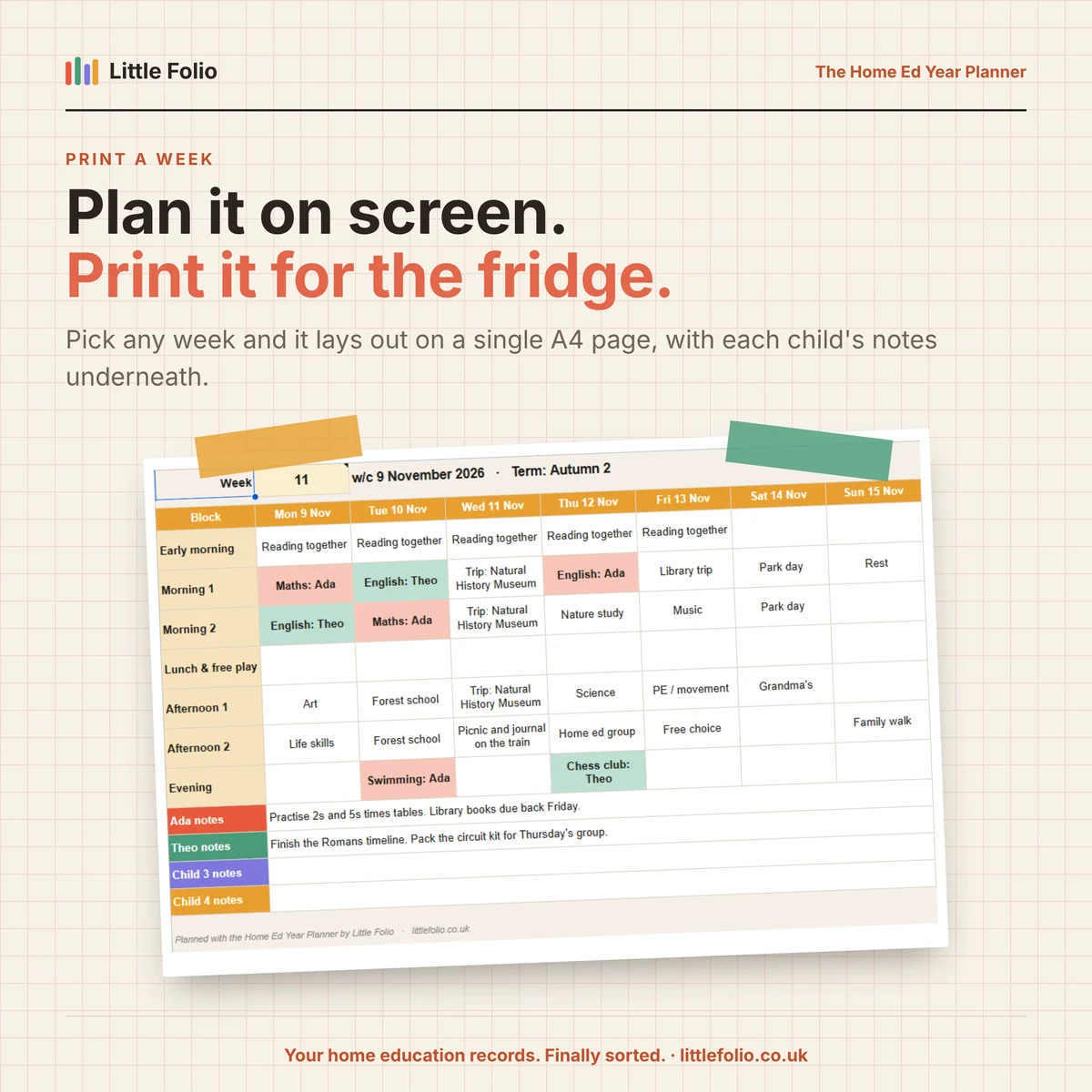
Example data shown. Your copy starts blank, ready for your family.
The Home Ed Year Planner
£12
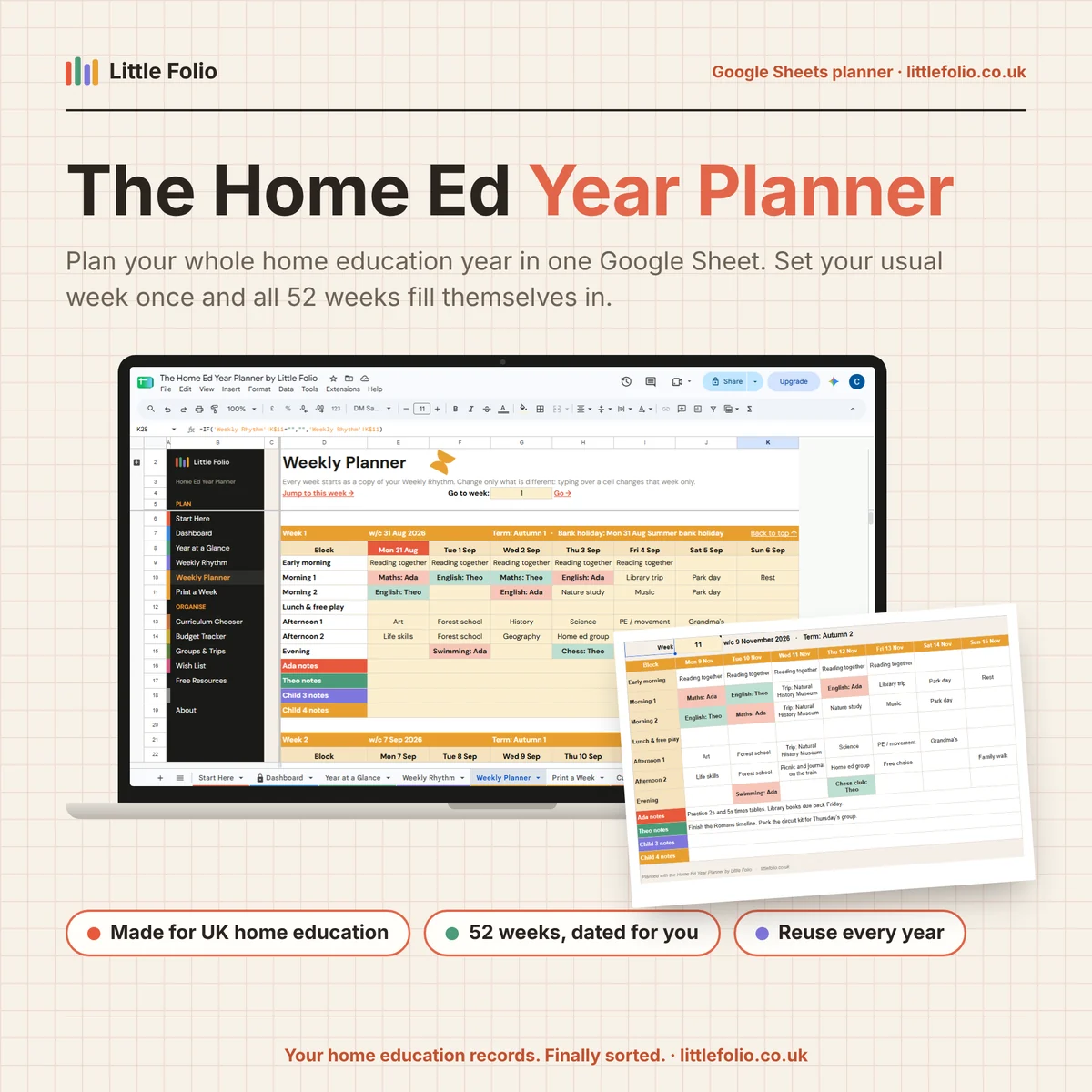
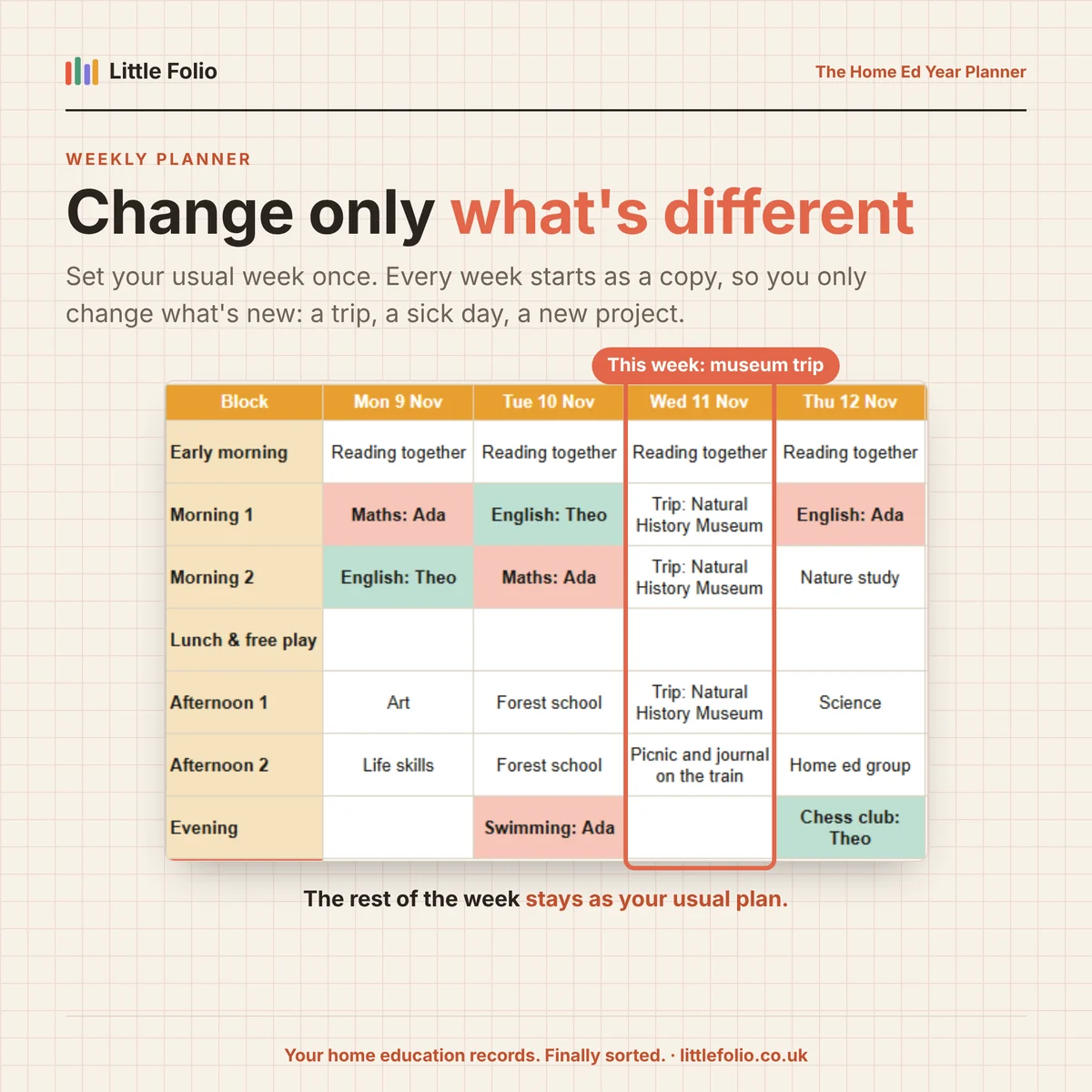
Plan your whole home education year in one Google Sheet. Set your usual week once and all 52 weeks fill themselves in. Each week, you only change what's different.
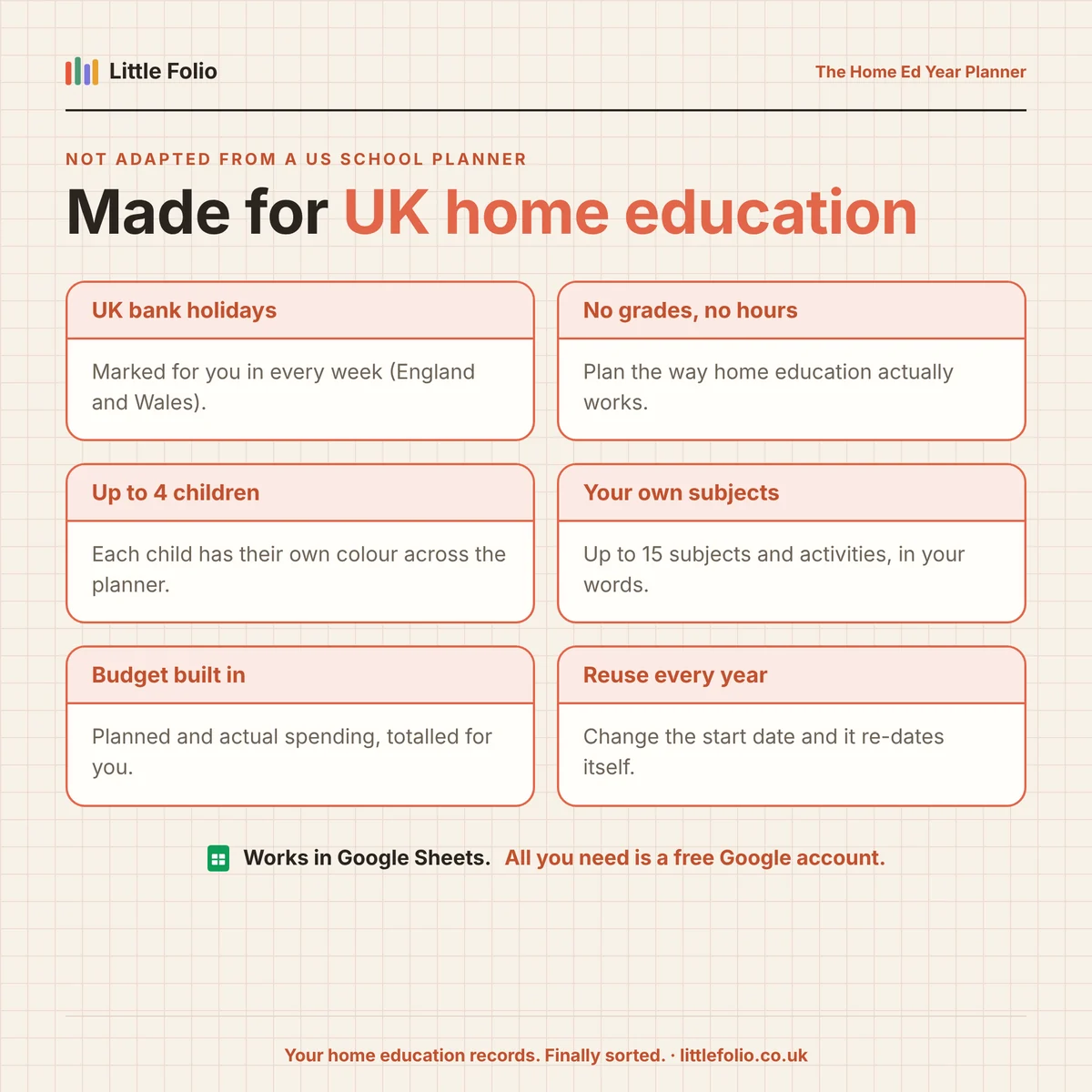
- Built for UK home education, not adapted from a US school planner
- UK bank holidays marked automatically
- A printable week for the fridge
- Reuse it every year: change the start date and it re-dates itself
No payment was taken. You can try again whenever you're ready.
Something went wrong opening checkout. Please try again, or email hello@littlefolio.co.uk.
You'll pay on a secure Stripe page. Your link appears straight after payment and we email it to you too.
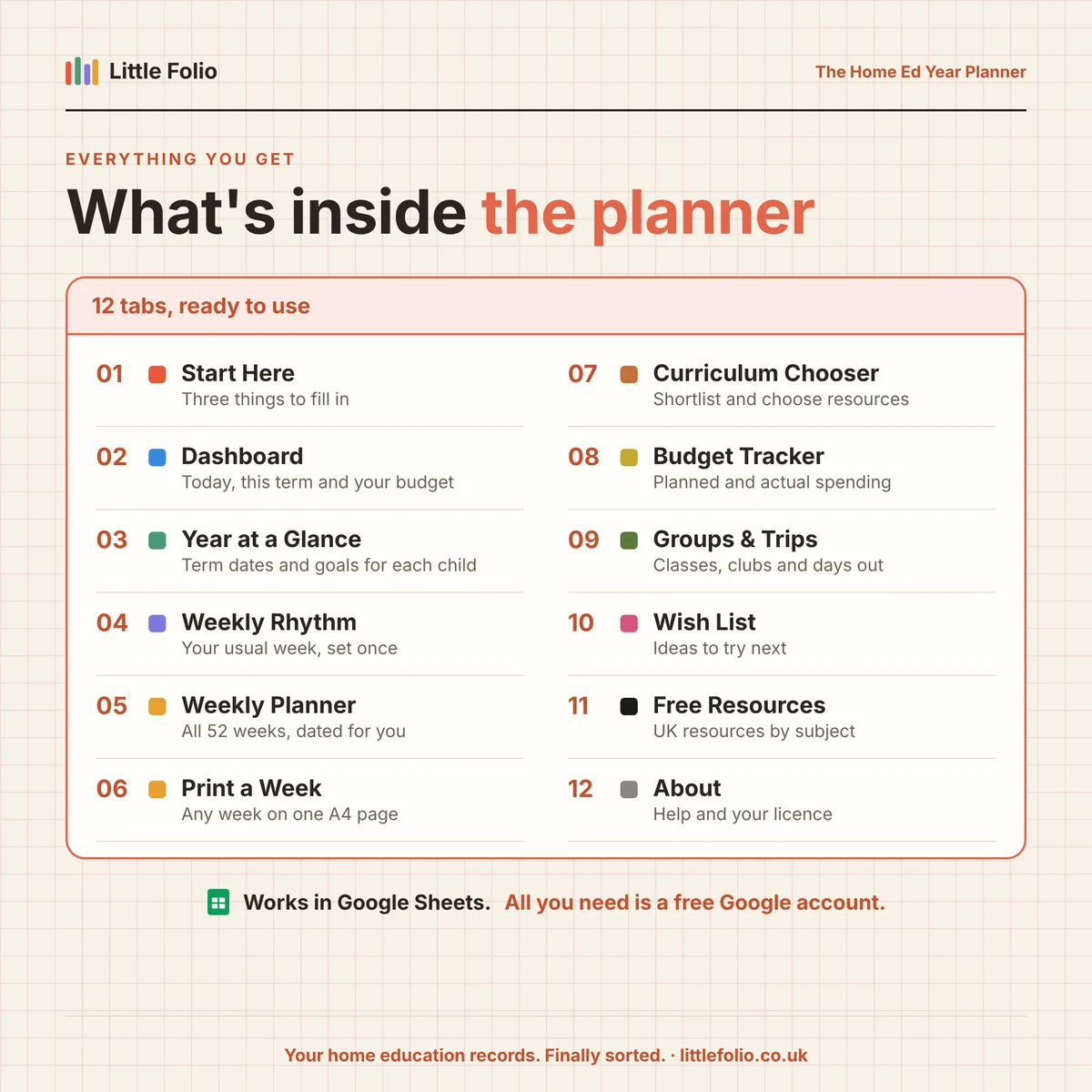
What's inside
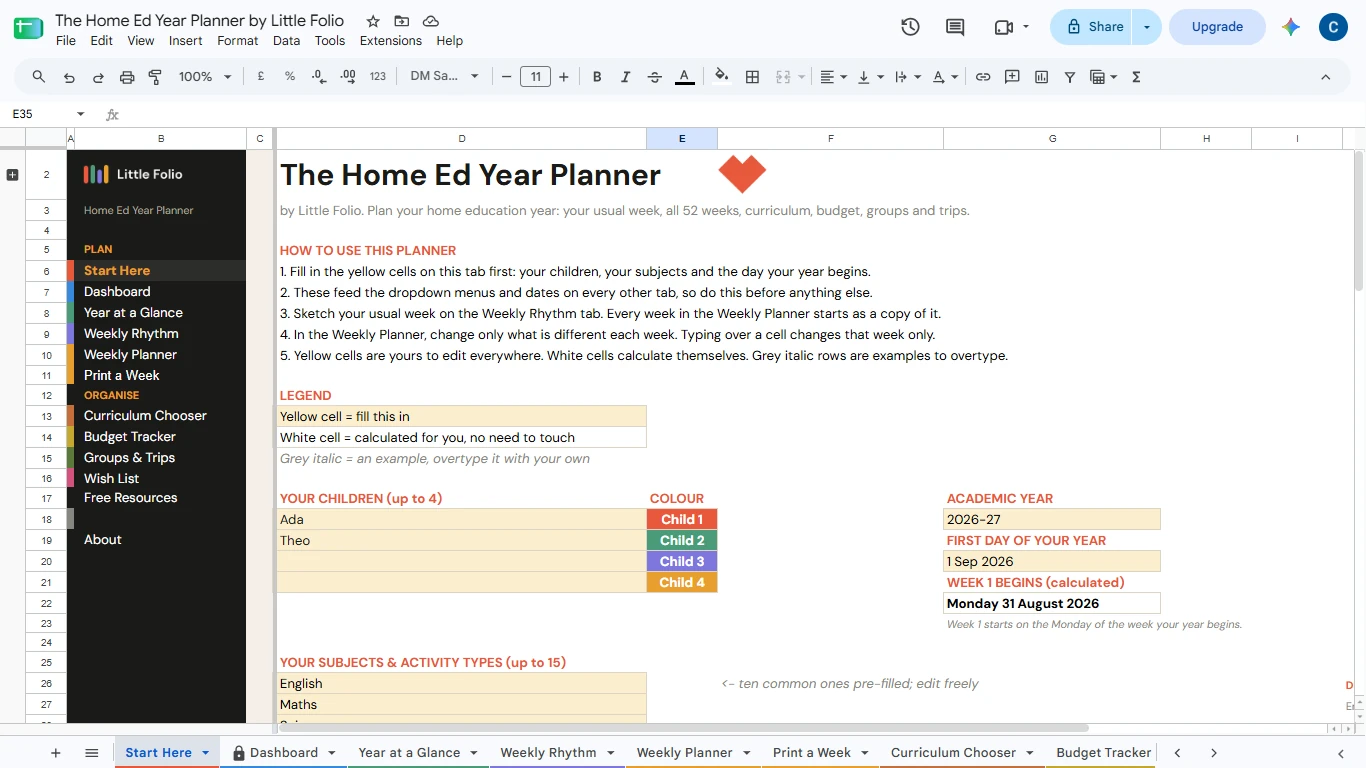
- Start Here
- Dashboard
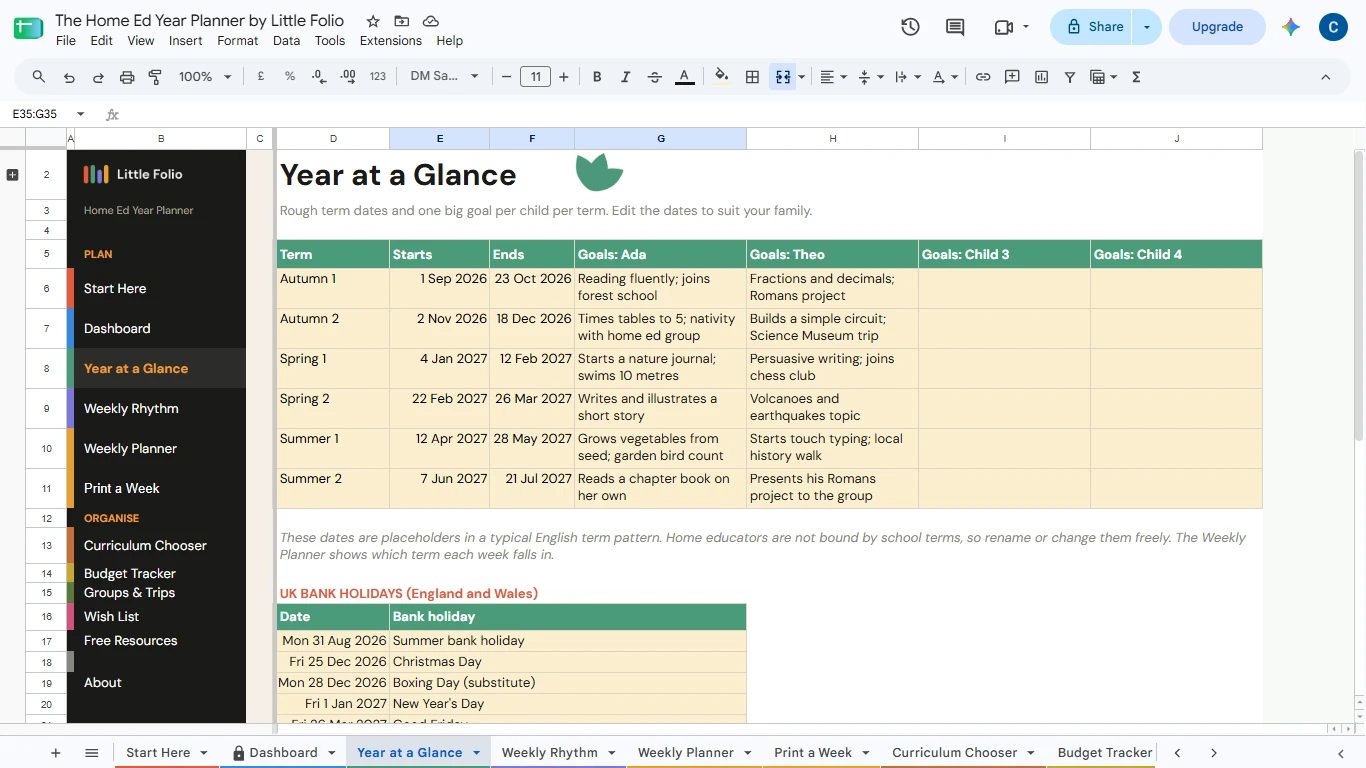
- Year at a Glance
- Weekly Rhythm
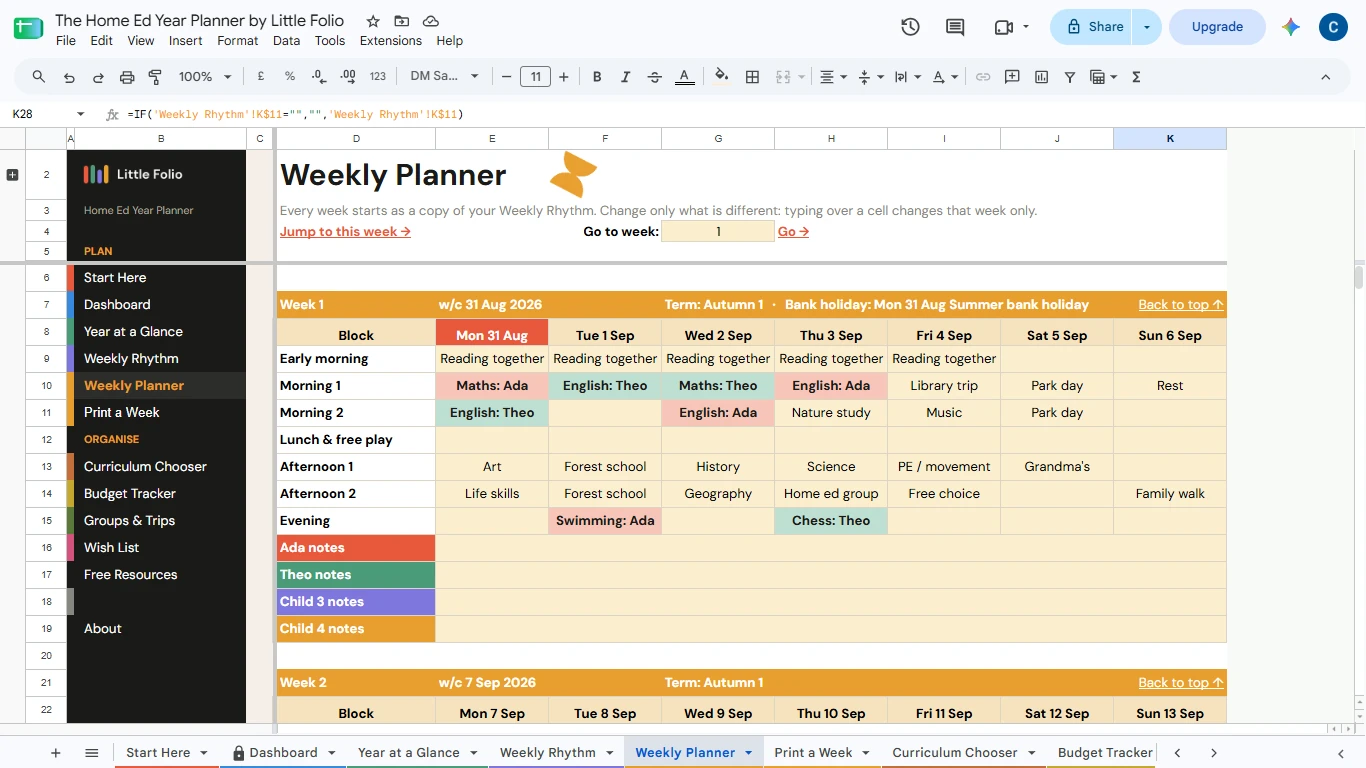
- Weekly Planner (52 weeks)
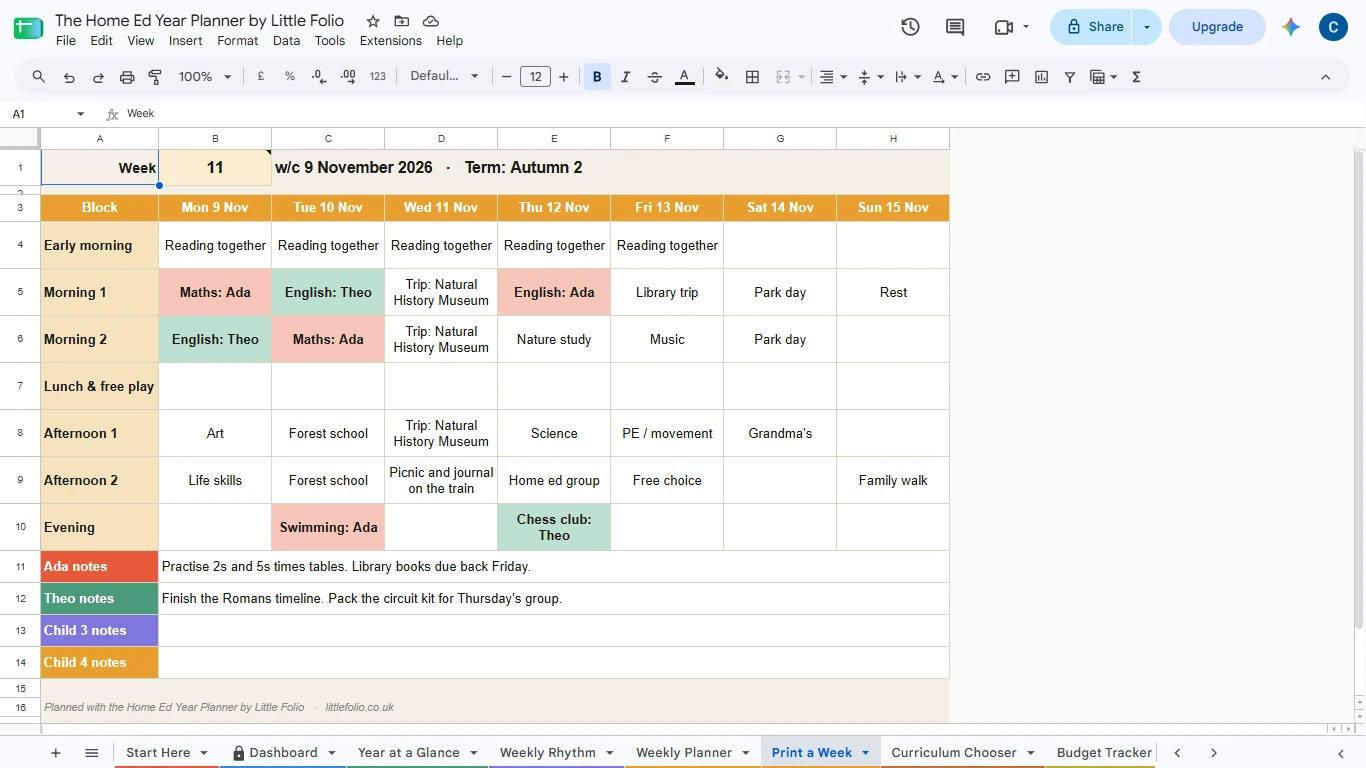
- Print a Week
- Curriculum Chooser
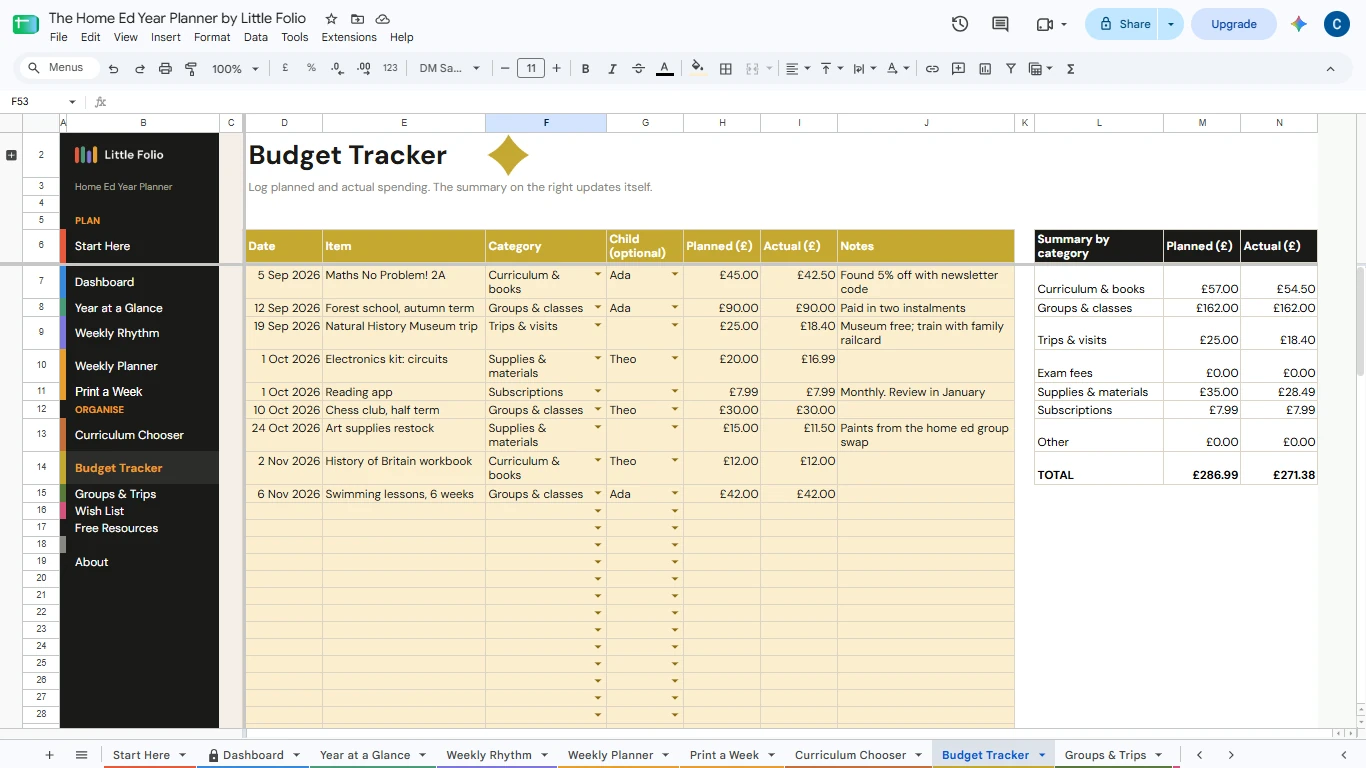
- Budget Tracker
- Groups & Trips
- Wish List
- Free Resources
- About
What you need
A free Google account. Best on a laptop or tablet. You can view it on a phone, but editing a spreadsheet on a small screen is fiddly.
Returns and policies
The planner is a digital product, delivered straight away. At checkout you'll be asked to agree to instant access, which means you can't cancel or return it just because you've changed your mind.
If something isn't working, or the planner isn't as described, email hello@littlefolio.co.uk and we'll put it right or refund you.
The planner is for use in your own family. Please don't share, resell or copy the planner or its link. By buying it, you agree to our shop terms.
About this planner
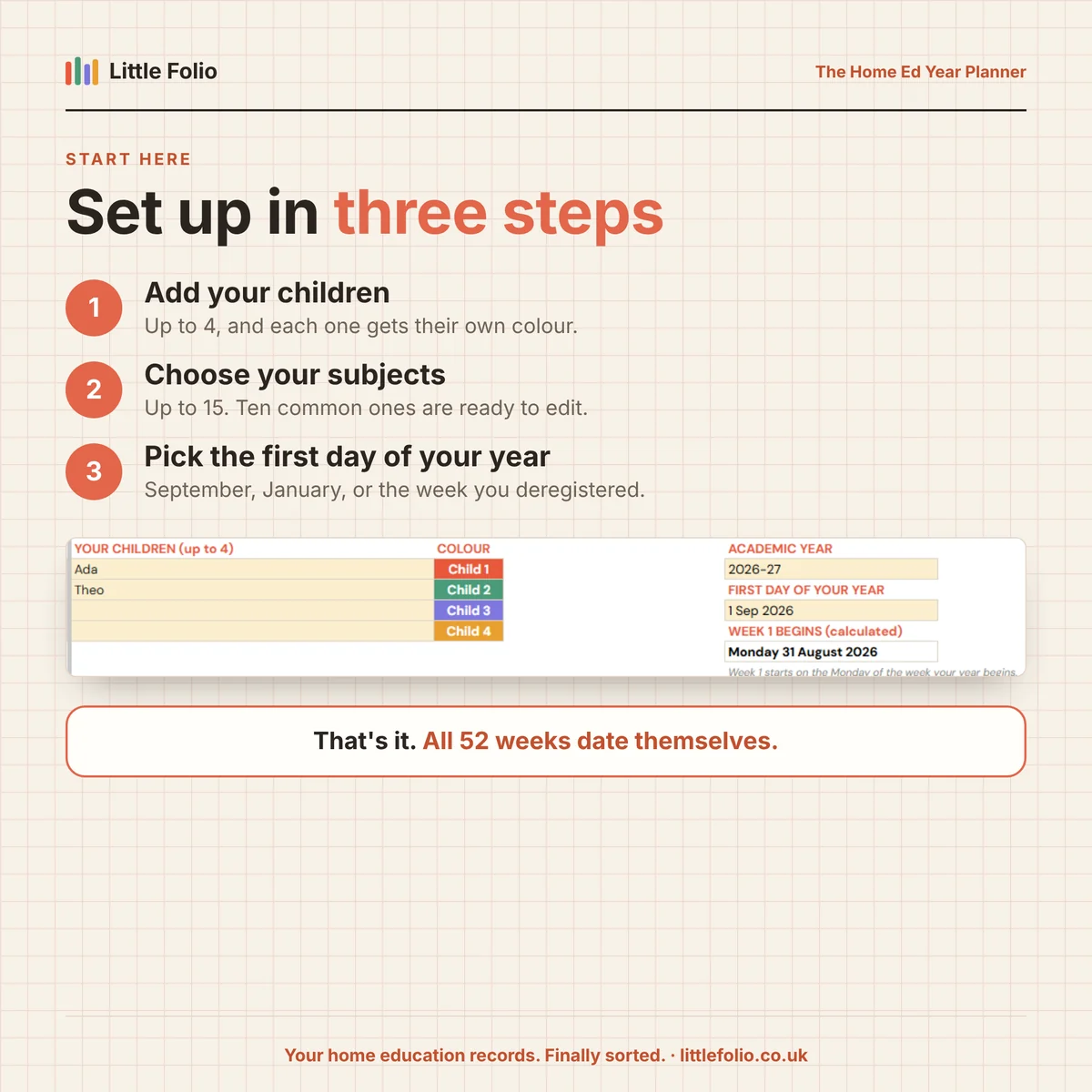
The Home Ed Year Planner is a Google Sheets planner made for UK home educating families. Fill in three things on the Start Here tab (your children, your subjects and the day your year begins) and the whole year builds itself: 52 dated weeks, with term labels and bank holidays for England and Wales already marked.
Sketch your usual week once on the Weekly Rhythm tab and every week copies it. Then change only what's different: a museum trip, a poorly day, a week off. Each child has their own colour, so you can see at a glance who's doing what.
You also get a Dashboard showing today's plan and the days left this term, a Curriculum Chooser for comparing resources before you buy, a Budget Tracker, Groups & Trips, a Wish List for ideas and a page of free UK learning resources sorted by subject. Print a Week turns any week into a one-page A4 plan for the fridge.
It suits any style, from structured to relaxed, and works just as well if you call it homeschooling. When the year ends, change the start date and it re-dates itself for the next one.
Prefer paper? Browse our free printables. Need to record what you actually did for your Local Authority? That's what Little Folio is for.
Take a look inside
Flip through every tab, filled in with an example family, to see how your year could look.

From checkout to planning in five minutes
Pay by card, Apple Pay or Google Pay on a secure Stripe page.
Click "Make my copy". Google asks you to confirm, then the planner is in your Drive, every formula working.
Add your start date, children and subjects. The rest of the planner builds itself.
The planner looks forward. Little Folio looks back.
Plan the week here. Then log what actually happened in Little Folio, with your evidence and Local Authority letters in one place.
See the appQuestions about the planner
How do I get my planner after I buy it?
Straight after payment you'll see a "Make my copy" button, and we email you the same link. Click it, sign in to Google if it asks, and choose "Make a copy". Your own planner is then saved in your Google Drive, ready to fill in.
Does it work in Excel?
The planner is made for Google Sheets, and that's the version we support. All you need is a free Google account. Excel can open a downloaded copy, but the tick boxes, dropdowns and automatic dates may not work properly there.
Which dates does it cover?
Whichever you choose. Enter your start date on the Start Here tab and the planner dates 52 weeks from that day. It works for a September start, a January start, or the week you deregistered.
Can I use it again next year?
Yes. Use your copy link again to make a fresh planner, or change the start date in the one you have and every week re-dates itself.
Does it work for more than one child?
Yes. Add each child's name on the Start Here tab and they appear across the planner, with a shared column for the things you do together. It holds up to 4 children.
We don't follow a set curriculum. Will it still suit us?
Yes. You choose your own subjects, and you can plan in as much or as little detail as you like. Some families fill in every day, others just note the week's trips and groups. Nothing in it assumes a school timetable, grades or hours.
Will my planner count as records for my Local Authority?
A written plan is a helpful start when your Local Authority asks about your provision, but most will also want to see what your child has actually been doing. That's what the Little Folio app is for: your activity log, evidence and correspondence in one place. You don't need the app to use the planner.
Can I use it on my phone or iPad?
You can open it in the Google Sheets app on a phone or tablet, and a tablet is fine for quick changes. For setting it up and planning your week, a laptop or computer is easiest.
Can I print it?
Yes. The Print a Week tab lays out any week on a single A4 page, ready for the fridge.
Will I get updates?
Yes. If we improve the planner, everyone who has bought it gets the new version free, by email.
What if something isn't working?
Email hello@littlefolio.co.uk and we'll help. Because the planner is delivered straight away, you'll be asked at checkout to agree to instant access, which means you can't cancel just because you've changed your mind. If the planner doesn't work as described, you're still entitled to have it put right or to a refund.
Also in the shop
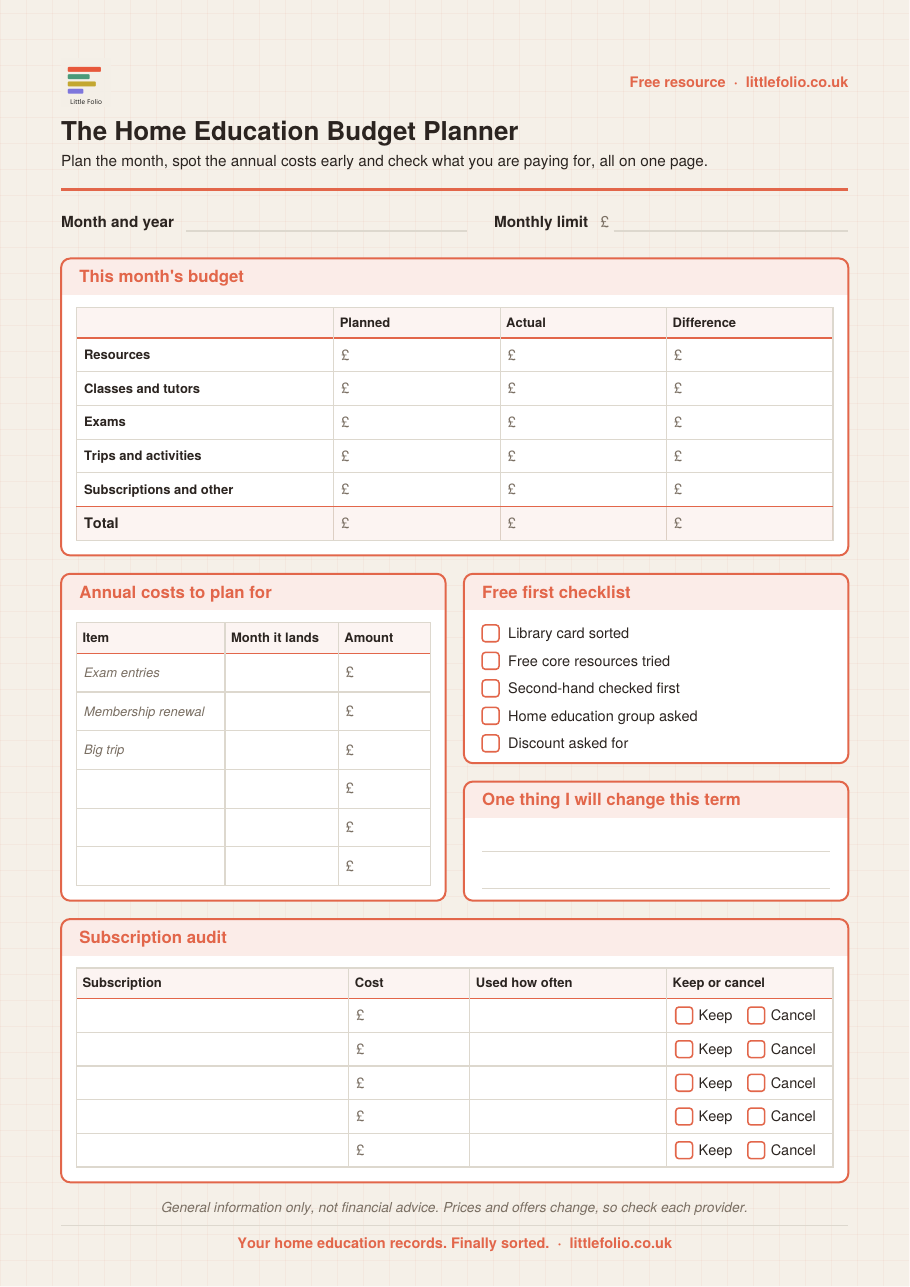 Home Education Budget Planner